
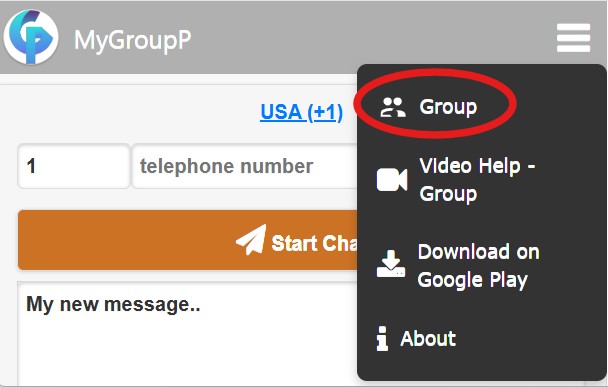
MyGroupP allows you to start a chat message to any phone number, even if the number isn’t saved in your contacts. This is useful for one-time messages to new contacts without creating an address-book entry. You can also adjust the country/area code when traveling.
In the message window, type the text you want to send. The message is saved in the app even if you exit. Messages are opened and sent via your device’s installed chat app (or SMS), using your own account on that app.
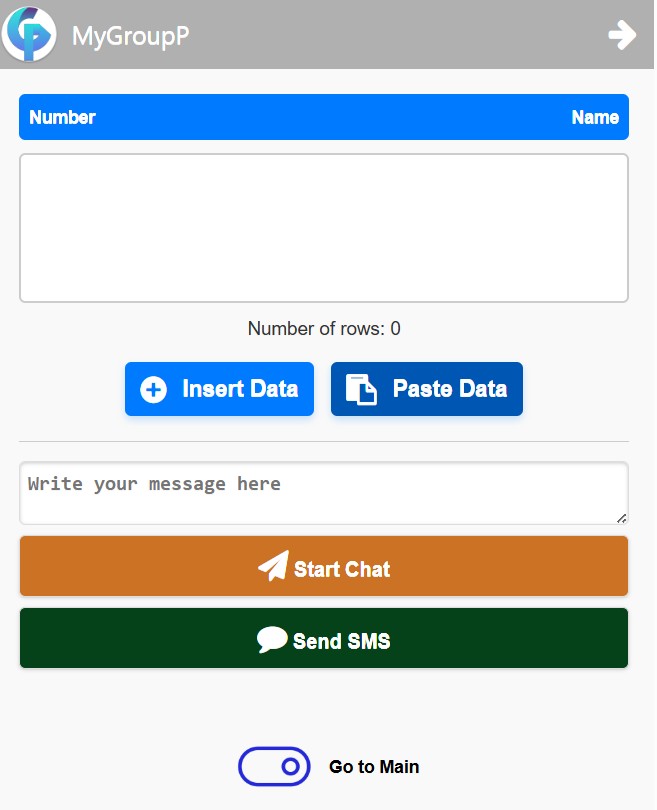
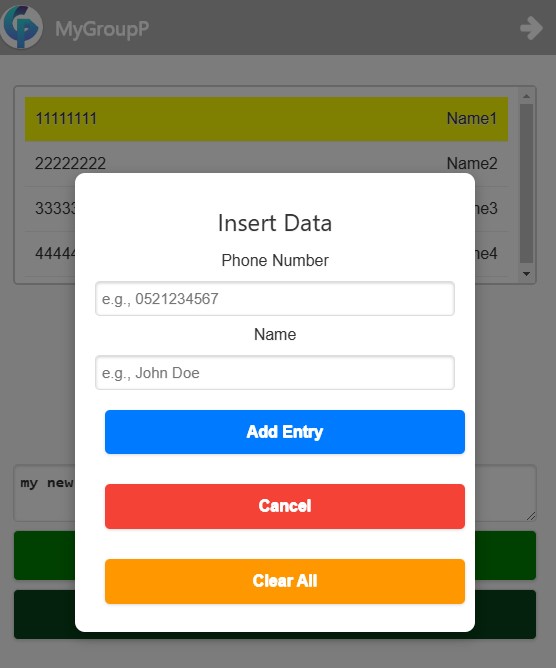
Manage and send messages to a list of numbers. Enter numbers manually, optionally add a name after the number (separated by a space), or paste a list from a text/Excel file (first column: number, second column: name – optional).
You can add, edit, reorder, or delete entries (double-click to edit). The list is saved in the app even if you exit, including the last selected number.
You can copy the entire list and save it outside the app for later use, then return and reuse it when needed.
In the message window, write the text you want to send. The message is saved in the app even if you exit.
Write your message, select the group of numbers, choose the current recipient, and tap Start Chat. After sending, return to the Group screen to select the next number and repeat.
To send the text as an SMS via your phone’s messaging app, tap send. A window will appear with two options:
After sending to the entire group, the conversation will appear in your phone’s messaging app, allowing you to continue directly there.
You can create a group in your preferred chat app and generate an invitation link (see your chat app’s help center for instructions). In MyGroupP’s Group screen, write your message and add the invite link you created, then send the message via SMS to the entire list.

For feedback or comments, please email: avi@mygroupp.com
Visit our website: mygroupp.com
MyGroupP is an independent tool and is not affiliated with or endorsed by any messaging brand.